How to Choose the Best Anti Blue Light Screen Protector?
Choosing an Anti-Blue Light Screen Protector starts with your device, not its marketing. Check the exact model and screen size before comparing features. Even a small mismatch can leave an edge exposed or interfere with a case. Look for clear information about light filtering, visible-light transmission, and testing methods. Numbers matter. If the seller does not explain what its filtering claims mean, treat them cautiously. Blue-light filtering varies by product, and a darker tint does not automatically mean better performance. That distinction is easy to miss.
Clarity and usability matter every day. A protector should keep text readable, colors acceptable, and touch response comfortable. Some tinted films can shift the appearance of photos or make a bright screen seem dimmer. Check installation instructions, included tools, surface finish, and replacement terms. For work involving accurate color, even a mild tint may be annoying. An Anti-Blue Light Screen Protector cannot guarantee relief from eye strain or improved sleep; those experiences have several possible causes. Breaks, comfortable lighting, and appropriate screen settings still matter. I would treat health-related promises with care. The best choice is a well-fitting product with transparent specifications and trade-offs you understand—not a dramatic claim on a box.
Understanding How Anti-Blue-Light Screen Protectors Work
How to Choose the Best Anti Blue Light Screen Protector?
Understanding How Anti-Blue-Light Screen Protectors Work
Anti-blue-light screen protectors reduce some short-wavelength visible light, usually by absorbing or reflecting selected wavelengths. The amount varies by product, so “blue-light blocking” does not describe one standard level of filtering. A useful specification shows light transmission across the 400–500 nanometer range, rather than offering a single headline percentage. Less blue light, perhaps. Not zero.
Filtering is not the same as proven eye-strain relief. A 2023 Cochrane review examined 17 randomized trials involving 619 adults. It found that blue-light-filtering glasses may not reduce short-term computer eye strain compared with regular lenses. That review tested glasses, not screen protectors, so the evidence cannot be transferred directly. Still, it is a reason to be cautious about bold claims. A strong tint can also make whites look warm and alter color judgment.
Tips: Check independent spectral-transmission test results, then view a white screen and a photo before buying. If color accuracy matters, a heavy filter may frustrate you. I would not treat a darker display as proof of better protection; it may simply be darker. For tired eyes, breaks, reduced glare, and a comfortable viewing distance remain practical steps.
How Anti-Blue-Light Screen Protectors Work
Visible-light wavelength bands (approximate, in nanometers). Blue light is commonly described as roughly 450–495 nm, though definitions vary. Screen protectors differ in how much light they filter, so check product-specific spectral-transmission measurements.
Identifying Your Device’s Screen Type and Size
Before choosing an anti-blue-light screen protector, identify the exact device model and screen type. A tablet and a laptop may share a similar diagonal measurement but have different aspect ratios and edge shapes. Check the device settings, manual, or manufacturer’s product page for its model number. Measure only if reliable specifications are unavailable.
Screen size is measured diagonally, not across the width. A 13-inch display can still have different height and width dimensions, so diagonal size alone is not enough. Look for a protector listed for your exact model, then compare its cutouts with the screen’s camera, speaker, and sensor positions. Small details matter. A misplaced opening can obstruct a webcam or leave an awkward gap.
Also check whether the display is flat, curved, glossy, or matte. Some protectors are designed to cover only the visible display, while others extend closer to the edges. Leave room for your case; tight-fitting edges may lift when the case presses against them. I still find this easy to overlook. If your screen has rounded corners, use the device’s stated dimensions rather than tracing its outline by hand. A paper template can help, but it is not always precise. Verify the fit before peeling away the backing.
Comparing Blue-Light Filtering Levels and Display Clarity
Blue-light screen protectors vary in how much short-wavelength light they filter. Compare the stated filtering percentage only when the test wavelength range and measurement method are also provided. A single number can be misleading. Two protectors may report similar results while filtering different parts of the visible spectrum.
Stronger filtering can add a yellow or amber tint, especially against white backgrounds. That shift may affect photo editing, color-sensitive work, and the appearance of skin tones. Clearer protectors usually preserve colors more closely, but may filter less light. Check product specifications for light transmission and color accuracy, then read independent test results where available. Claims without test details are difficult to compare reliably.
Consider your actual screen in a bright room and at low brightness. Look at a white page, a gray interface, and a familiar photo before deciding whether the tint is distracting. Tiny text should remain sharp, with no haze or visible grain. Keep in mind that screen settings and room lighting also change perceived color, so a store display may not match your own device. There is no perfect balance for every use, and I would treat any one-number rating as only part of the decision.
Assessing Material, Durability, and Touch-Screen Compatibility
A screen protector’s material affects clarity, feel, and how it handles daily wear. Tempered glass usually feels close to a bare display and resists scratches from keys or grit. Flexible film can fit curved screens, but may show marks sooner. Small details matter. Look for clear information about the wavelengths the filter reduces; “blue-light blocking” alone does not explain its performance. A noticeable yellow tint may bother some users, especially when editing photos or reading white backgrounds.
Durability depends on more than the material label. Check whether the protector has a hard, smooth surface and reinforced edges, where chips often begin. Check the edges. A case that presses against them can lift the protector over time. Dust trapped during installation can also create bubbles, so a clean, still room helps. It is easy to focus on scratch resistance and overlook replacement cost or the hassle of fitting a new sheet.
Touch-screen compatibility deserves a real test, not just a claim on the package. After installation, type a short message, drag an icon across the screen, and test taps near the corners. Some thicker glass protectors can reduce sensitivity, particularly if the device has a touch-sensitivity setting that needs adjustment. That trade-off is not always obvious in a shop. If gestures feel delayed or swipes miss, remove the case temporarily and test again before blaming the screen. A protector should feel unobtrusive, though “invisible” is a high bar.
Checking Certifications, Reviews, and Installation Requirements
When comparing anti-blue-light screen protectors, look for a test report, not just a blue-tinted sample. A useful report names the laboratory, test method, wavelength range, and percentage of light transmitted or blocked. Check whether the result covers the full visible spectrum or only selected wavelengths. “Blocks 90%” means little without that context. Also check what the certificate actually verifies: IEC 62471 addresses photobiological safety, not a filter’s effectiveness at reducing eye strain. Claims should match the evidence.
Reviews can expose practical problems that specifications miss. Look for repeated comments about glare, color shifts, fingerprint resistance, and edge lifting after several weeks. Treat dramatic health promises cautiously. A 2023 Cochrane review examined 17 randomized trials involving 619 adults and found blue-light-filtering spectacle lenses may not reduce short-term computer eye strain. Those trials studied glasses, not screen protectors, so the evidence is not a direct verdict on a film. Still, it is a reason to question medical claims. Check the seller’s return policy, too.
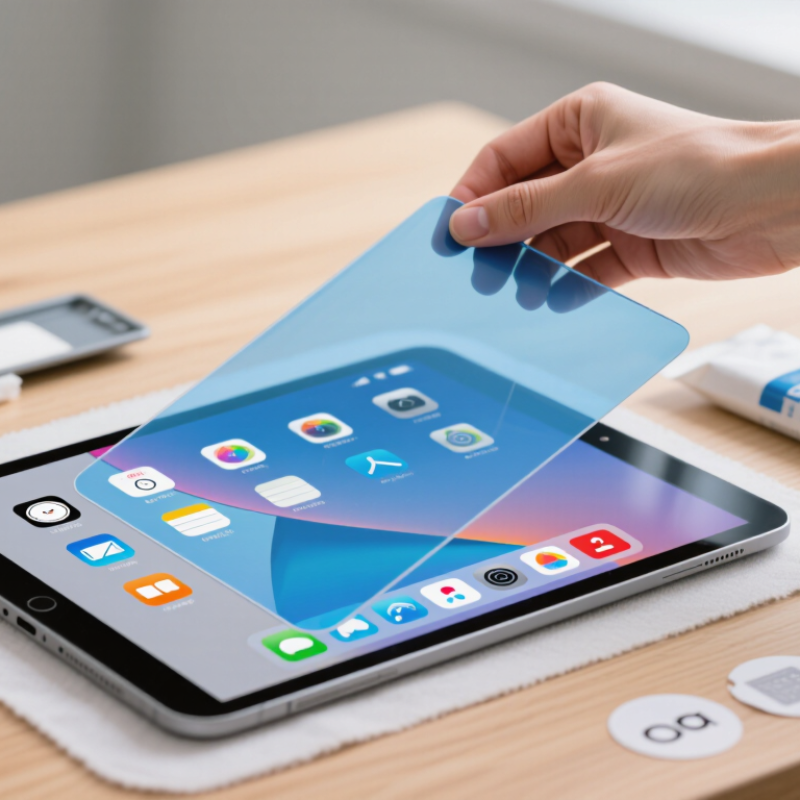
Installation requirements matter as much as the filter. Confirm the protector matches your exact screen size and case, then read whether it uses a wet or dry application. Dust is the enemy. Clean the display under bright, angled light, and keep the supplied dust-removal sticker nearby. Reviews mentioning bubbles or misaligned cutouts deserve attention. Even careful installers can miss one speck. I would rather see clear instructions than a confident promise of effortless fitting.

